.png)
Manage wagons at your siding
Viewing your siding
To view the wagons currently onsite in your siding:
Choose the siding you want to view at the top of your dashboard and select “Display Siding”
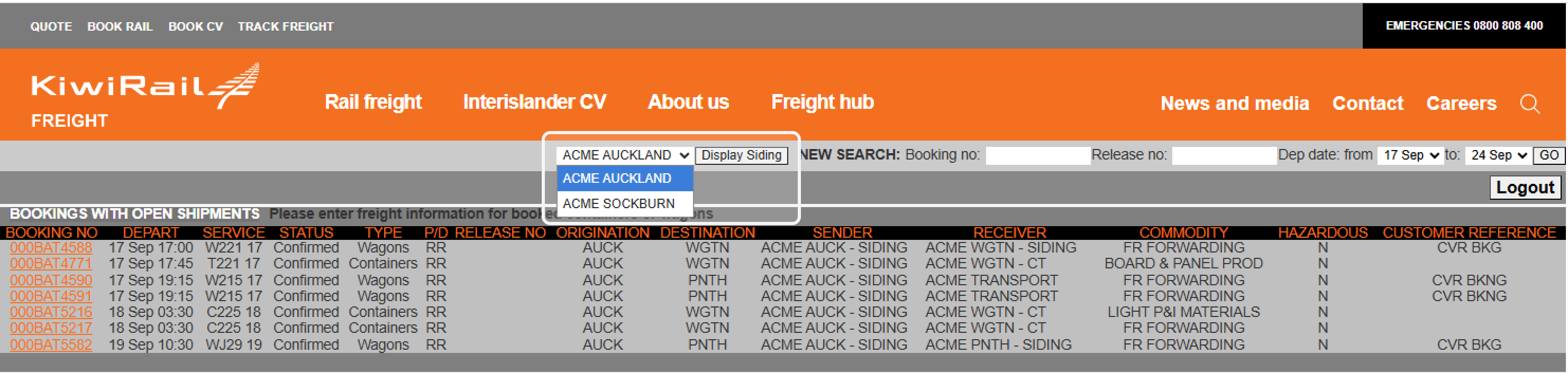
This will display the wagons onsite, their position and the roads they occupy.
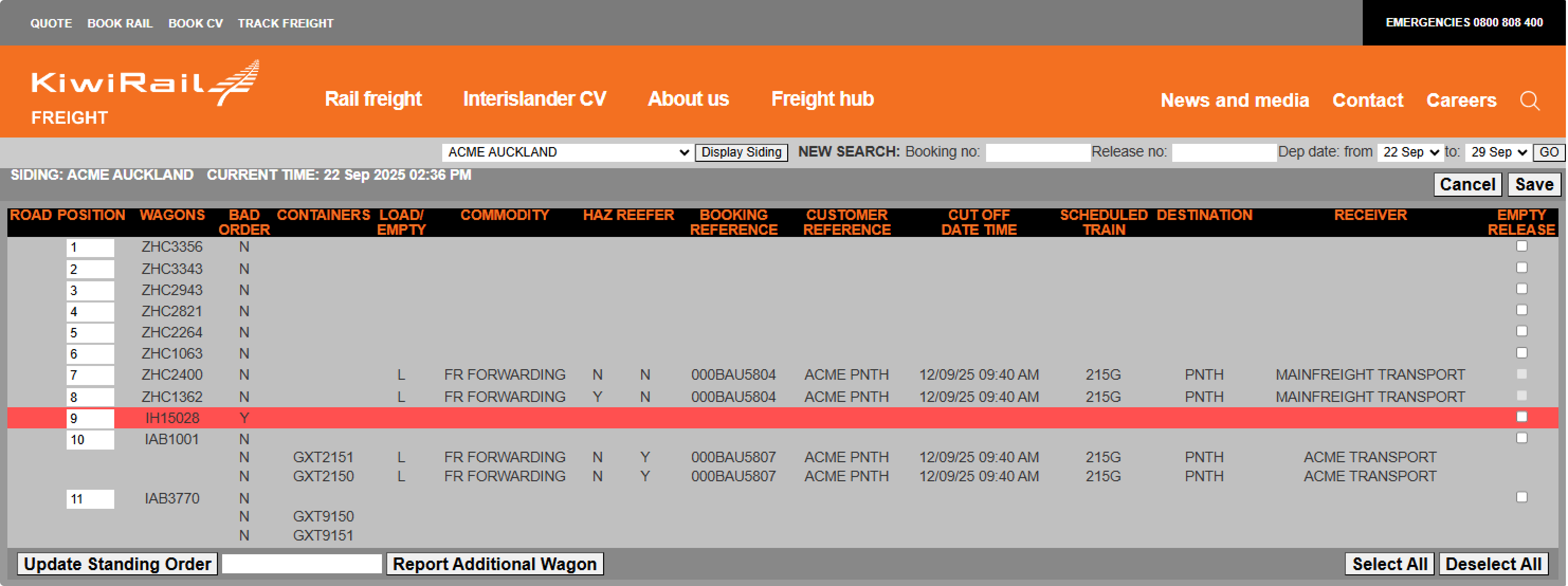
Wagons and containers that you have already pre-advised will show their booking details.
Any wagons that are bad-ordered will be highlighted in red.
There is an option for you to 'Empty Release' wagons that have not been preadvised.

If the Display Siding option is unavailable, or a siding is not listed, contact digital.solutions@kiwirail.co.nz to add your managed rail sidings to the account.
Releasing an empty wagon
To release wagons you do not intend to load:
Select the "Empty Release" checkbox next to each wagon you no longer require.
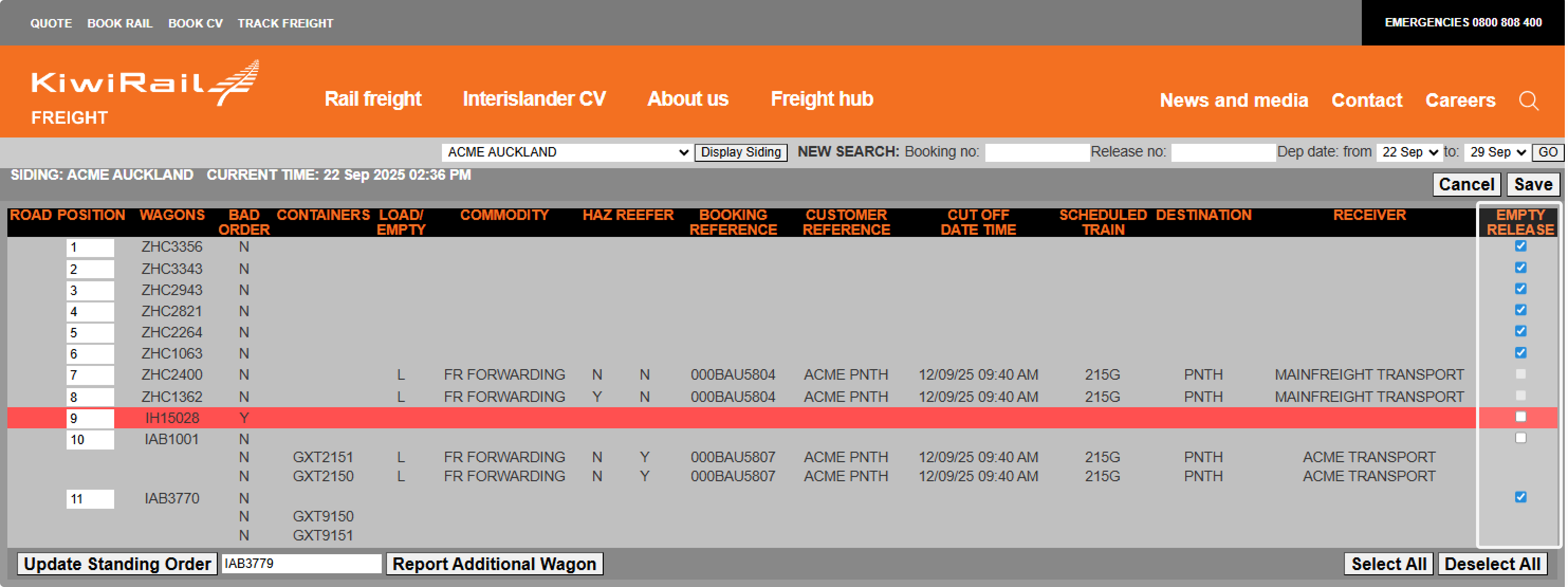
Once all applicable wagons are selected, select "Save" to complete the empty release process.
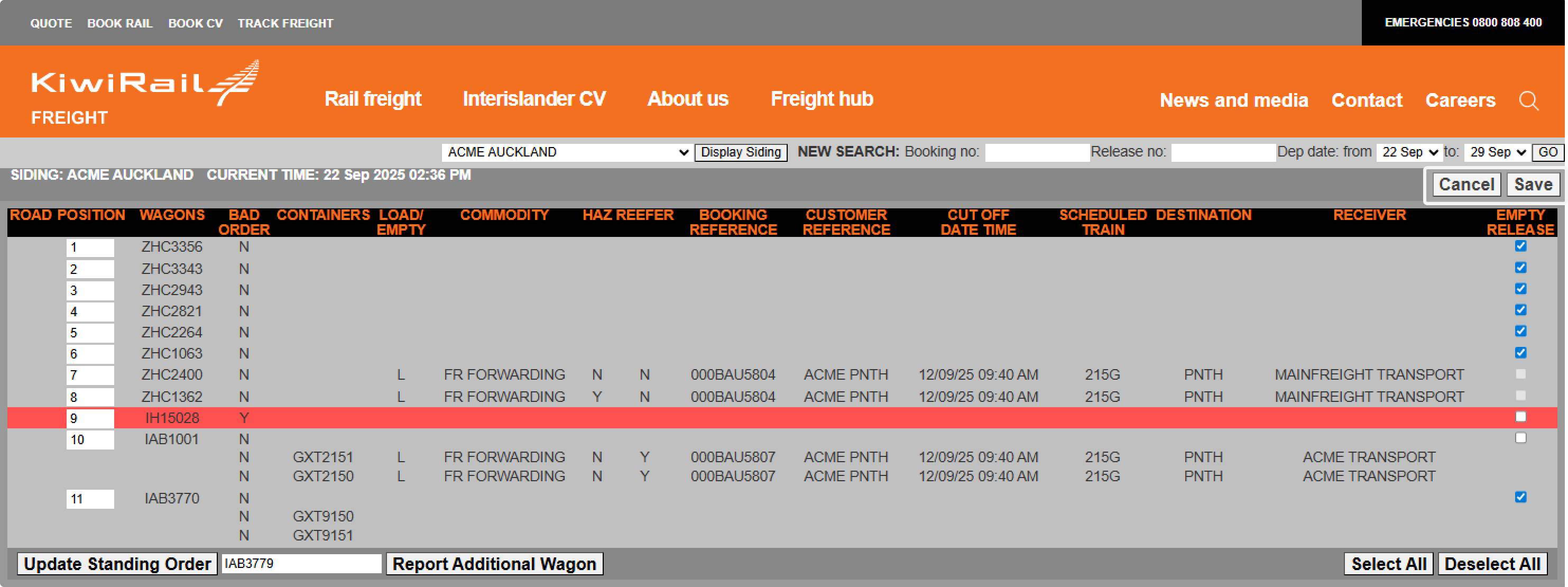
The wagons you release will be automatically scheduled for collection on an upcoming shunt. Our operations team will then plan to pull these wagons accordingly.
You are still able to pre-advise to a wagon if you accidentally release it empty.
Reporting an additional wagon
If you have a wagon that is physically onsite, but is not showing on your siding dashboard:
Enter the Wagon Id that is missing from the list and select “Report Additional Wagon”
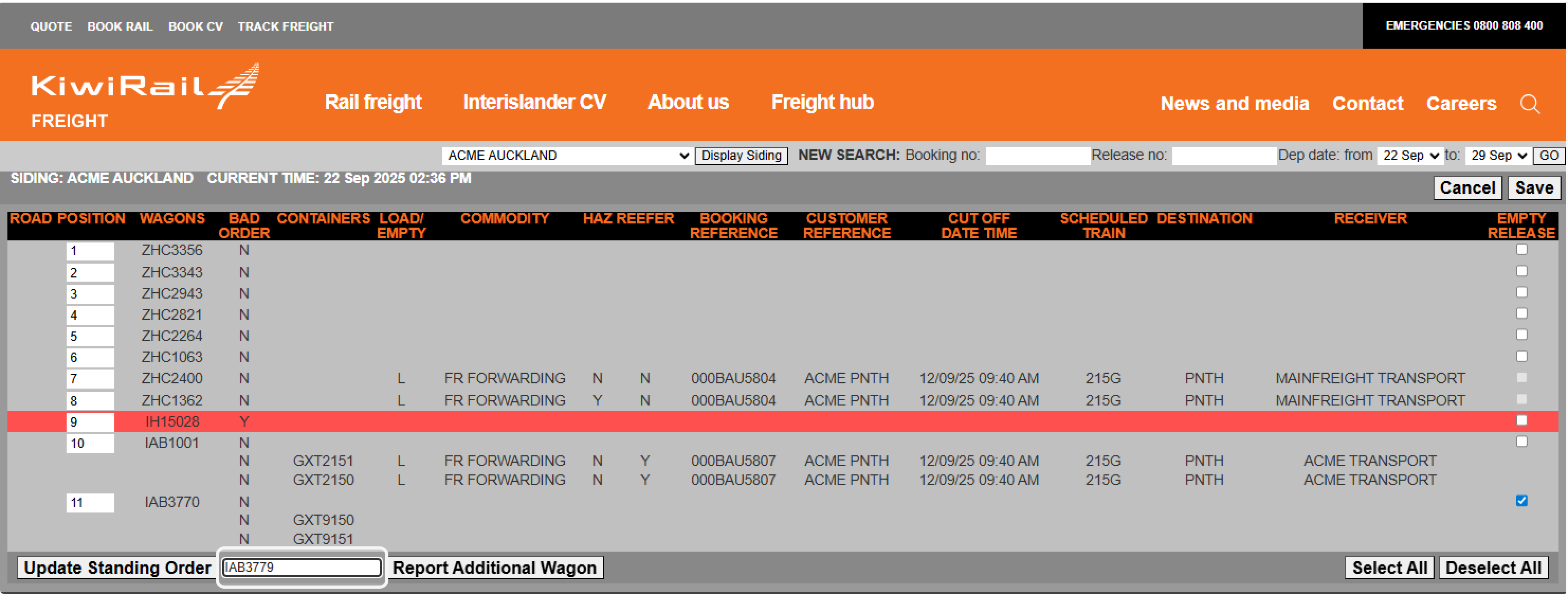
The wagons you report will automatically move to your site in our systems and appear on your dashboard.